Editable Small Business Success Planner
Running a small business means juggling goals, finances, clients, inventory, and marketing. An Editable Small Business Success Planner brings these pieces together in a system you can shape to match your workflow. Whether you are launching a startup, running an online shop, or managing freelance projects, this planner helps you stay organized without getting lost in scattered notes or spreadsheets.
A Planner Built for Real Business Tasks
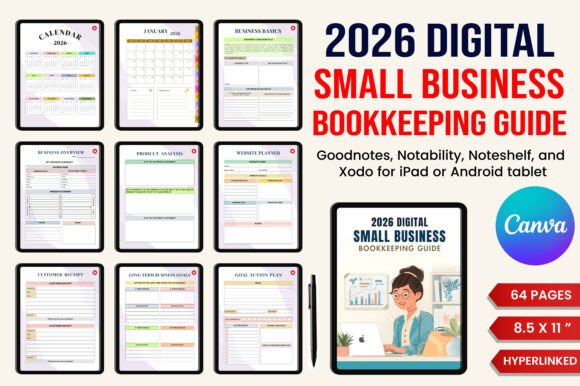
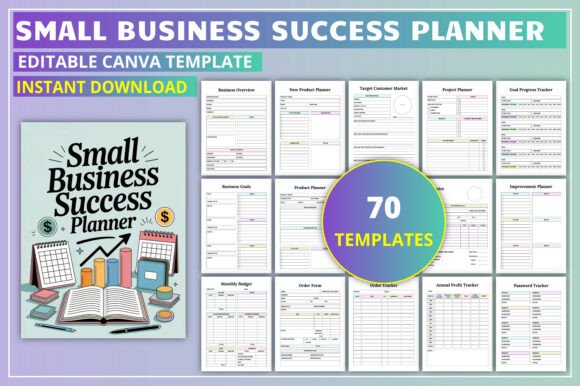
The planner includes sections for business expansion, overview, goal setting, product planning, target customer analysis, daily, weekly, and monthly planning, invoices, budgets, order tracking, client payments, profit tracking, income and expense tracking, inventory management, and sales tracking. Each page supports a specific part of running your business, from mapping out long-term goals to reviewing daily tasks. This wide range of tools means you do not need multiple separate systems—everything lives in one place.
Entrepreneurs Starting Out
When you are new to business, staying organized can feel overwhelming. The Goal Planner, Action Plan, and Business Overview pages help you break big ideas into steps you can follow. Quarterly Goals and Long Term Goals keep you focused on progress, while the Daily Planner handles the smaller tasks that add up. For beginners, the structure reduces the mental load of remembering everything at once.
Freelancers Managing Finances
Income and expenses vary month to month for freelancers. The Monthly Budget, Income Tracker, and Expense Tracker give you a clear view of your cash flow. The Invoice and Client Payments pages simplify billing, so you know exactly who has paid and what is still due. This setup works well for creative professionals, consultants, and anyone whose workload shifts regularly.
Shop Owners and Online Sellers
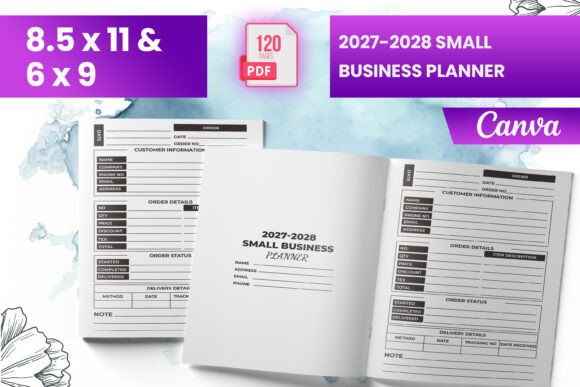
Inventory and sales data matter most when you sell products. The Product Inventory and Sales Tracker pages help you monitor stock levels and identify which items are performing best. The Order Form and Order Tracker keep customer orders organized from start to finish. If you run an Etsy shop, a boutique, or a small e-commerce site, these sections directly address your daily needs.
Creators Selling Digital Products
Because this planner is fully editable in Canva, you can customize colors, fonts, and layouts to match your brand. Creators can adapt the design before uploading to Amazon KDP or offering it as a digital download. This flexibility makes it a practical tool for building a printable product line without starting from scratch.
Educators and Coaches
Teachers, trainers, and business coaches can use the goal setting and review sections to structure their own operations or as teaching aids. The Weekly and Monthly Review pages encourage reflection, which is useful for professional development sessions. You might also use the Target Customer Market page to help students define their ideal audience.
Goal Setting and Accountability
The Goal Planner, Quarterly Goals, Long Term Goals, and Goal Progress Tracker work together to keep you on track. Whether you are planning a product launch or building a client base, these pages provide a clear framework. Writing down goals and reviewing them regularly increases the chances of follow-through.
Financial Clarity
Understanding your money is critical for any business. The Monthly Finances, Annual Profit Tracker, Income Tracker, and Expense Tracker offer a straightforward view of your financial health. The Invoice and Client Payments sections cover billing basics. For those who prefer simple over complicated, these pages deliver without requiring accounting software.
Daily and Weekly Organization
The Daily Planner, Daily Review, Weekly Planner, and Weekly Review help you balance short-term tasks with long-term objectives. Entrepreneurs who wear multiple hats often find these pages useful for staying grounded. A quick weekly review can realign your efforts before priorities shift.
Product and Customer Focus
Use the Product Planner, New Product Planner, and New Product List when launching new items. The Target Customer Market page helps you define who you are selling to, which improves your marketing decisions. The Product Inventory page tracks stock so you never run out unexpectedly.
How Different Users Apply This Planner
A beginner business owner might start by filling out the Business Overview and Goal Planner pages, then use the Daily Planner to schedule weekly tasks. Over time, they add the Monthly Budget and Expense Tracker to monitor spending habits.
A creator preparing content for Amazon KDP can test different color themes and fonts inside Canva. They might add a logo to the Belongs To page and rearrange sections to appeal to a specific audience, such as boutique owners or freelance artists.
A freelance graphic designer could rely on the Invoice, Client Payments, and Project Planner pages to manage multiple projects. The Weekly Review helps keep deliverables on schedule without missing deadlines.
A small retail store owner might prioritize the Product Inventory, Sales Tracker, and Order Tracker pages. These sections provide visibility into what is selling and what needs reordering, reducing guesswork.
Choosing the Right Planner for Your Workflow
If you want a structured yet adjustable system, this planner is worth considering. The editable format means you are not locked into a fixed layout. You can rename sections, change page order, and adjust visuals to fit your brand identity.
Think about your current priorities. Do you need help tracking spending? The financial pages address that directly. Planning a new product line? The product sections offer a ready framework. Want a simple daily schedule? The daily and weekly planners provide that without extra clutter.
One thing to note: this planner works best if you are comfortable with Canva or willing to learn basic editing. If you prefer to print and use the layout as is, the standard design is fully functional. For creative users, the ability to customize the look and structure adds significant long-term value.
Getting the Most From Your Planner
Update your pages on a regular basis. Use the Daily Review to note what you accomplished and the Weekly Review to reset priorities. The Goal Progress Tracker is useful for monthly check-ins on your targets.
If you plan to sell this planner, keep the design consistent with your audience’s expectations. A clean, professional look works well for small business owners, while a more colorful or playful style may appeal to creative entrepreneurs. Test a few variations before finalizing.
Long-term benefits come from consistent use. Over months, the Annual Profit Tracker and Monthly Finances pages reveal patterns in income and spending. That data can guide smarter business decisions, such as when to invest in inventory or cut back on certain expenses.
The Editable Small Business Success Planner provides a practical foundation for organizing your work. By choosing the sections that fit your needs and customizing them to your style, you build a system that supports your goals day after day.